View
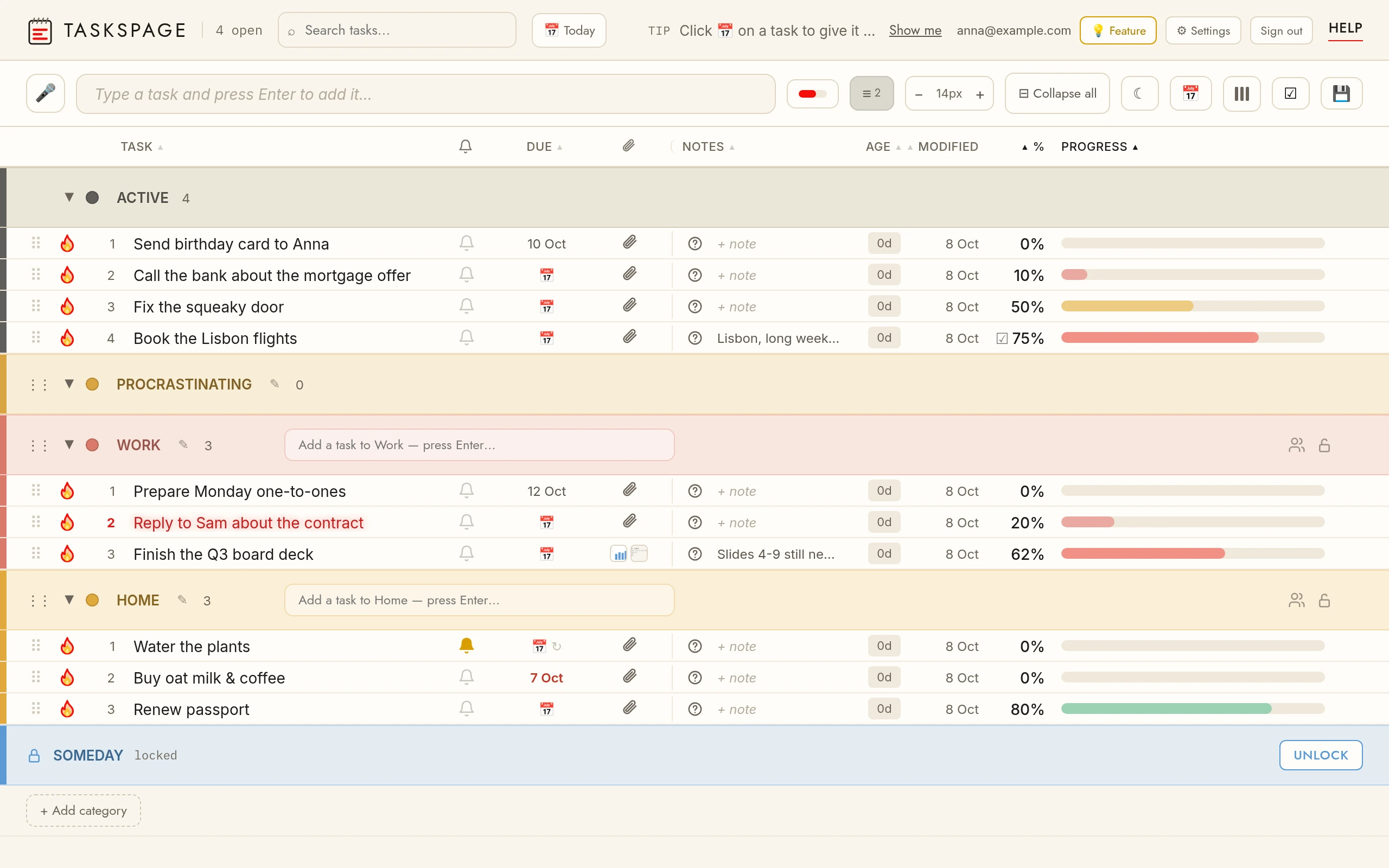
Progress bar styleThe bar button cycles: separate column → tinted into the task name → hidden.
Row densityThe ≡ button cycles comfortable / condensed / compact.
ColumnsThe ▮▮▮ button shows/hides columns. Drag column headers left/right to reorder them. Reordering and hiding columns is a Pro feature; your layout is kept separately for phone and desktop.
Expand / collapse allThe ⊞ / ⊟ button opens or closes every section and category at once. Desktop.
Text sizeThe − 19px + stepper sets the task text size, one pixel at a time; click the number to go back to automatic (it then follows row density). Mobile: the stepper is at the bottom of the ▮▮▮ menu.
Dark modeThe ☾ button switches the app to a dark theme (and ☀ back to light). On mobile it's in the ▮▮▮ menu, under Age. Your choice is remembered and, once signed in, follows you across devices. Free.
Calendar exportThe 📅 button downloads your tasks that have a due date or reminder as an .ics file — open it to add them to Apple Calendar, Google Calendar or Outlook. Reminders become timed events with an alert; recurring tasks repeat. Pro feature.
Google Calendar syncAccount & settings → Integrations → Google Calendar → Connect. Tasks with a due date or a reminder then appear in their own “TasksPage” calendar and stay up to date: all-day on the due date, or at the reminder time for the reminder’s duration; repeating reminders become recurring events. One-way — edits in Google don’t come back. Pro feature. More.
Per-device viewEach device remembers its own view — columns, density, text size, theme, bar style — and keeps it across refreshes. Your phone and laptop can look different and stay that way.
Save your viewThe 💾 button saves the current view to your account. Each device keeps its own; this saved view is only the starting point a brand-new device you sign in on will use. Needs a free account. Pro feature.
SearchThe search box filters by task name and note text. × clears.