The simple to-do list & task tracker
that fits on one page.
Todo apps became project managers. Project managers became second jobs. TasksPage is one page — add, drag, burn, done. A free online task tracker you can use right now, with no sign-up.
saved on this device

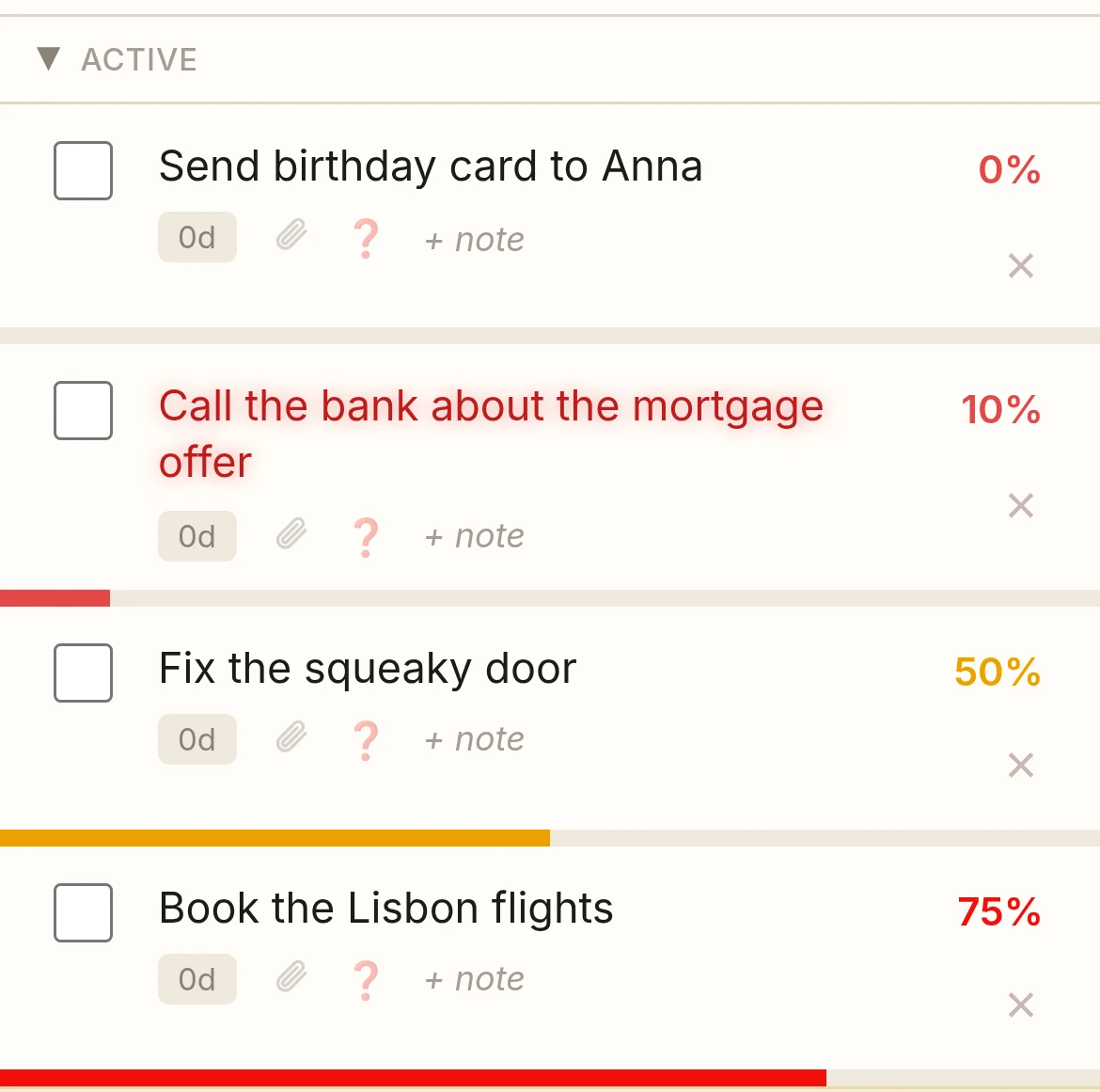
Simple as paper.
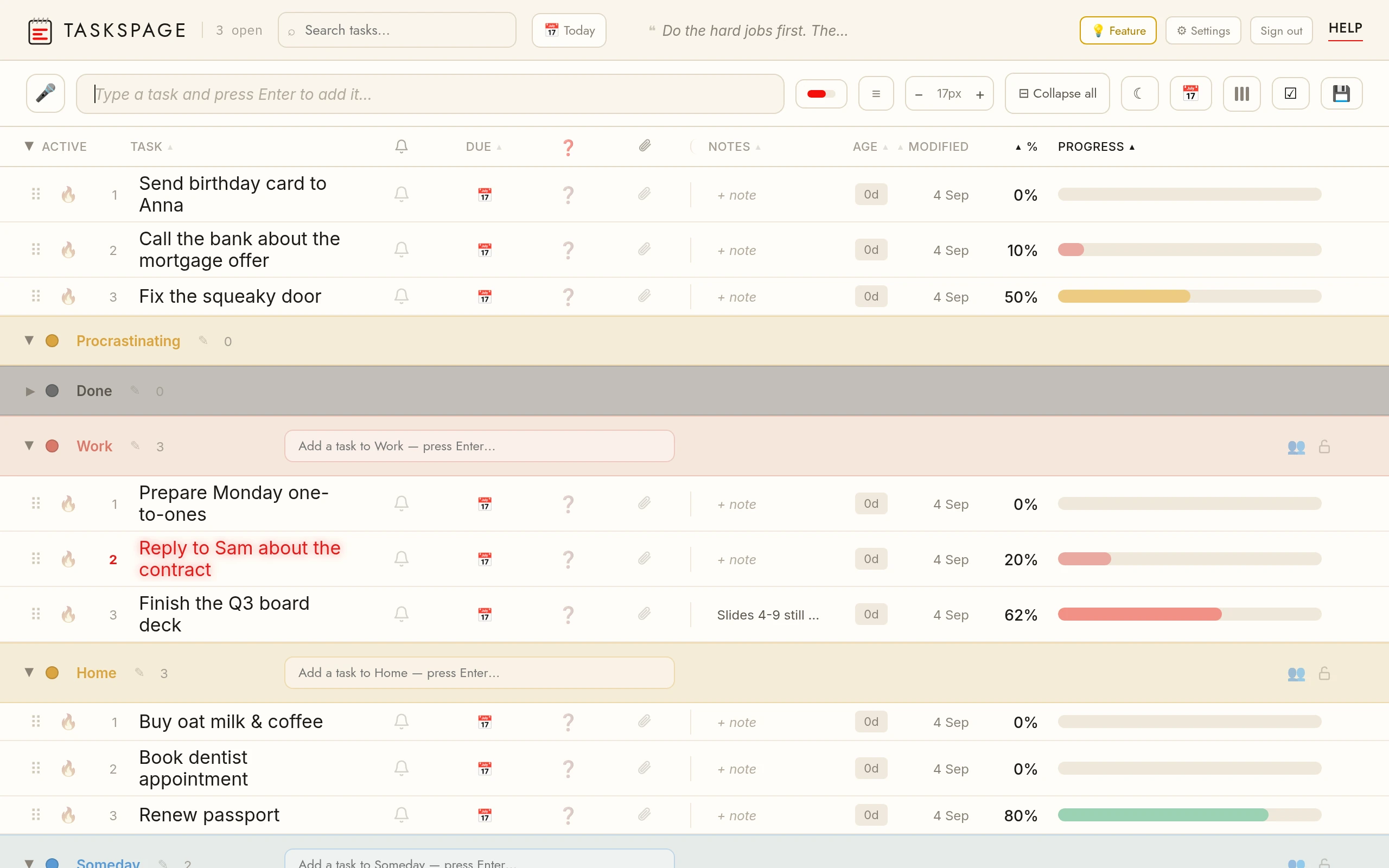
TasksPage is a free online to-do list and task tracker that keeps everything on a single page. Add unlimited tasks, set a progress percentage on each, sort them into colour categories, and password-protect the ones you want private. Write notes, attach files, and search across everything. It works offline as an installable app, saves instantly, and needs no sign-up to start — create a free account only when you want your list to sync across devices.
Track progress
Drag a task from 0 to 100%. See how far along everything really is, at a glance.
Color categories
Sort tasks into a few color-coded lists. Work, home, someday — whatever fits your day.
Mark important
Flag a task as important and its name glows red, pulsing until it's done. Impossible to miss.
Attach anything
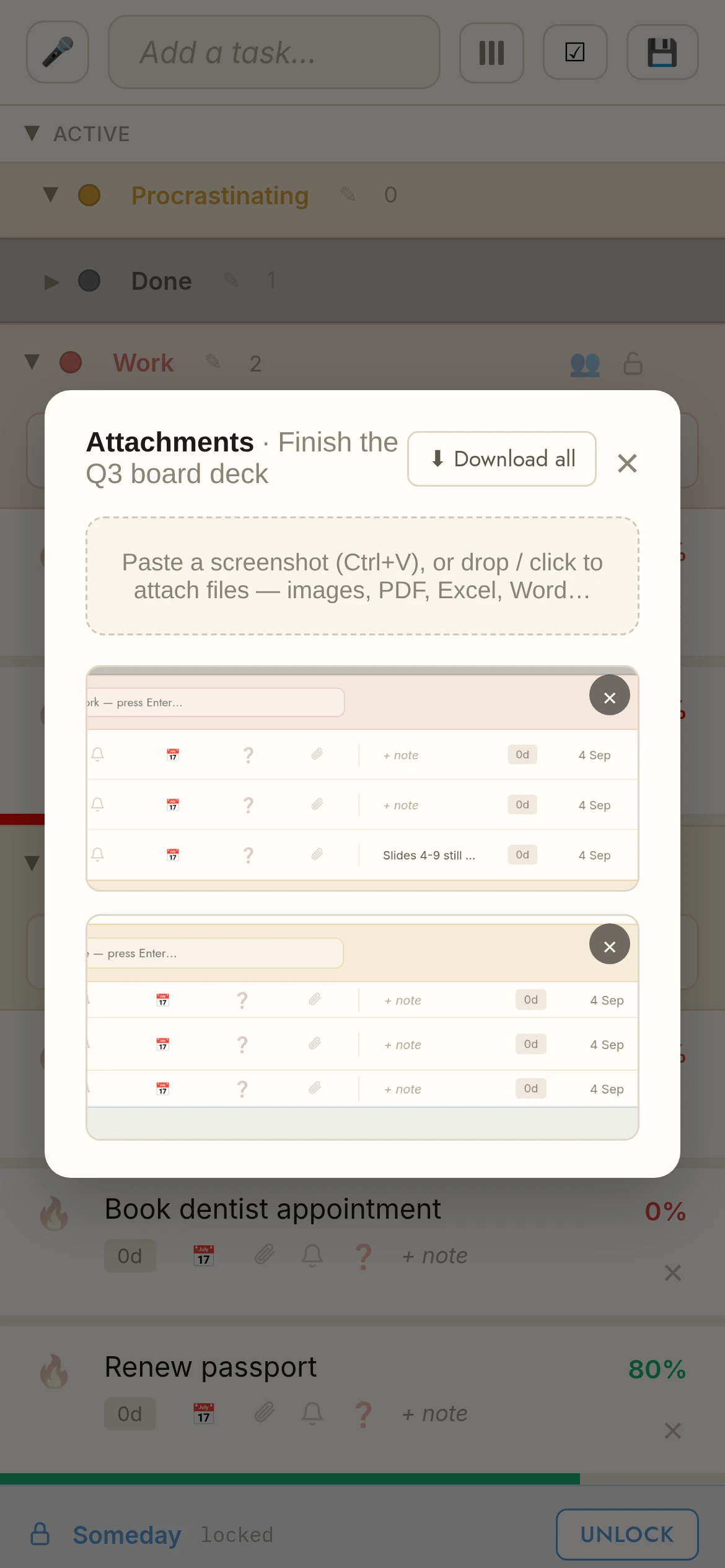
Drop in screenshots, files and notes so the context lives right next to the task.
Link anything
Turn any word in a task or note into a clickable link — highlight it and paste a URL, or just type one out.
Share a category
Invite someone to a color category by email — you both add, edit and tick off its tasks, in sync. Free — sign-in required.
Burn it when done
Finishing should feel like something. Send a task up in flames and keep your page clean.
Sync everywhere
Make an account and your page follows you across computer, tablet and phone — free, always.
Drag & drop
Everything moves. Reorder, reschedule and reshuffle your whole day with a drag.
Free forever. Pro when you want more.
The free plan is permanent — not a trial. Upgrade only if you outgrow it.
Beginner
Get your life onto one page, for free.
An account with:
- Unlimited tasks
- 5 colour categories
- Progress % on every task
- Burn-to-done + undo
- Drag & drop tasks
- Notes on tasks
- Turn any word into a link — no long web addresses cluttering your list
- Sync across your devices (login required)
- Share categories with up to 10 people (login required)
- Attachments up to 5 MB per file, 50 MB of storage (login required)
- Password-protect categories
- App lock with fingerprint or Face ID — protected categories re-lock by themselves
- Search across your tasks
- Works offline — installable app
- Dark mode
Pro
Work and life on one page, with reminders and due dates.
Everything in Beginner, plus:
- Unlimited colour categories
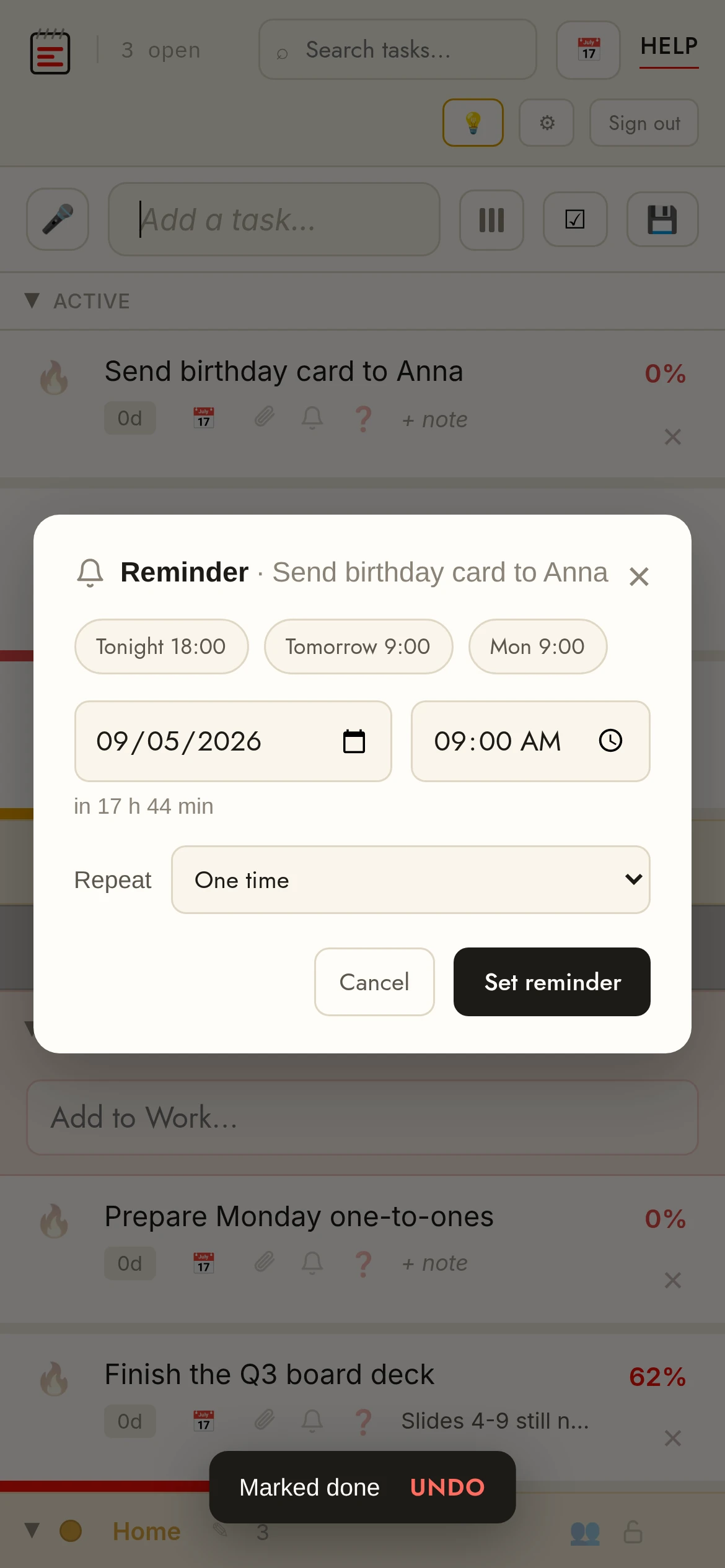
- Reminders & notifications
- Voice entry — dictate a task, filler words filtered out
- Type it, it’s scheduled — “call the dentist tomorrow at 9” becomes a task with a reminder
- Recurring tasks + due dates
- Calendar / ICS export
- Customize your view — drag & drop columns, hide columns, reorder sections; saved separately for phone and desktop
- Mark important tasks (they glow)
- Attachments up to 25 MB per file, 5 GB of storage
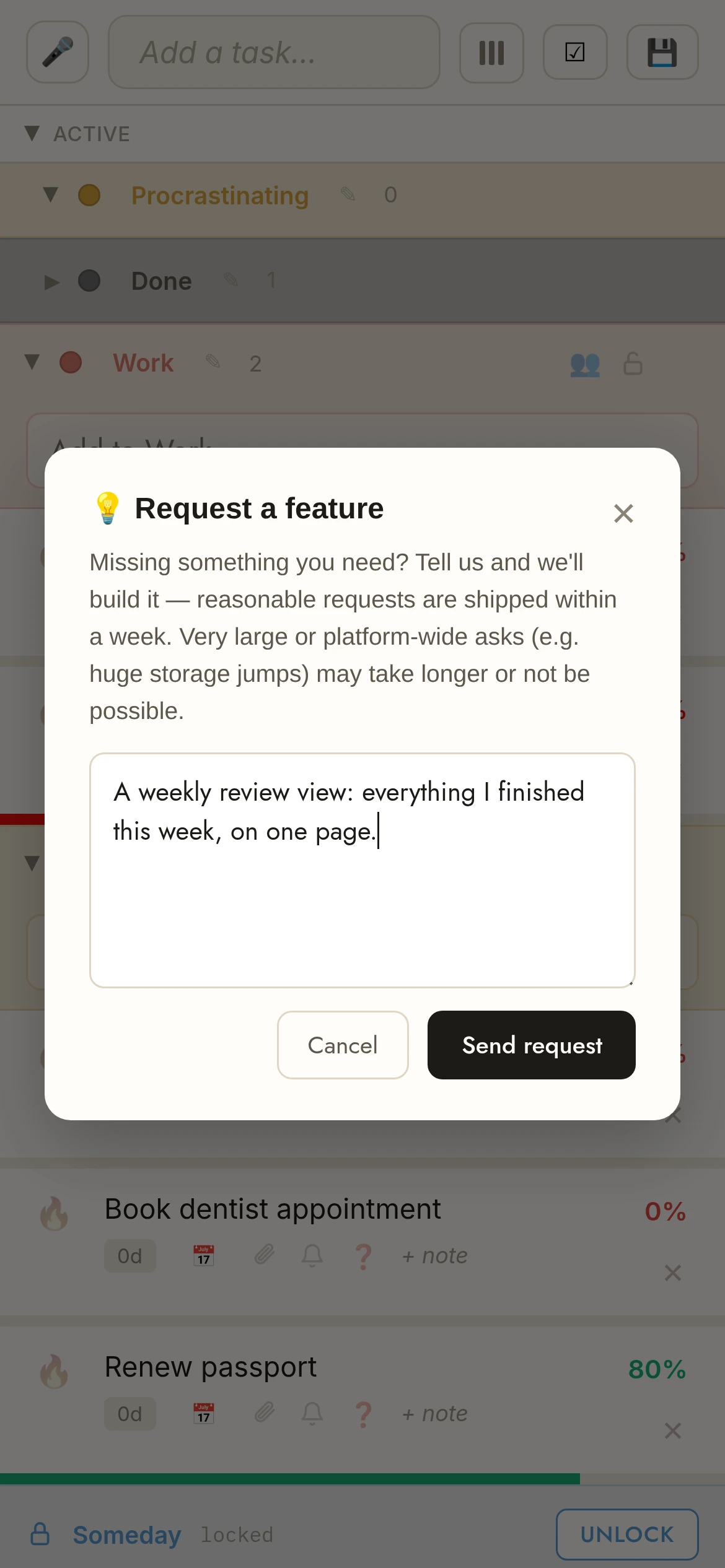
- Request a feature — built within a week
You don't need another system to manage. You need a page you'll actually keep.
Open the tab. Type a task. Cross it off, or watch it burn. When there's only one page, there's nothing to maintain — just the thing in front of you.
Key facts
| Price | Free forever. Pro is optional: €1.99 per month or €19.99 per year, billed in euro worldwide. Pro starts with a 7-day free trial. |
|---|---|
| Sign-up required | No. An account is only needed for sync across devices, attachments and sharing. |
| Works offline | Yes. Installable web app (PWA); offline edits sync when you are back online. |
| Platforms | Any modern browser on desktop, tablet and phone, plus an Android app on Google Play. No iPhone app (installable PWA via Add to Home Screen). |
| Attachments | Free: up to 5 MB per file, 50 MB in total. Pro: up to 25 MB per file, 5 GB in total. |
| Sharing | Share a colour category with up to 10 people, free. |
| Languages | English, German, Spanish, French, Portuguese, Russian. |
| Privacy | No ads, no tracking without your consent. Data encrypted at rest; export or delete everything from the app. |
Frequently asked.
Is TasksPage free?
Yes. TasksPage has a free plan that stays free — no time limit, no ads, no tracking without your consent. The free plan includes unlimited tasks, progress percentages, colour categories, notes, questions, file attachments, password-protected categories and search. A Pro plan (€1.99/month or €19.99/year) adds unlimited categories, reminders, due dates, recurring tasks, calendar export, and more storage.
Can I password-protect my tasks?
Yes. Any colour category can be locked with a password, and its tasks stay hidden on the server until you enter it. Category locking is included on the free plan.
Do I need to install anything?
No. TasksPage runs in any modern browser. You can optionally install it as a Progressive Web App for offline use.
How does TasksPage work?
Everything is on one page. Add tasks, give each a completion percentage and a colour category, drag & drop to reorder, and burn a task to remove it when it is done. Changes save instantly.
Can I request new features?
Yes. Pro users can send a feature request straight from the app, and reasonable requests are usually shipped within a week. Larger, platform-wide changes may take longer or not be possible.
Is my data private?
Yes. Data is encrypted at rest on the server, and you can export or delete all of your data from within the app at any time.
Coming from another app?
Honest comparisons with the tools you may be using now:
Or go straight to what you are looking for: